> For the complete documentation index, see [llms.txt](https://docs.hidemyacc.com/llms.txt). Markdown versions of documentation pages are available by appending `.md` to page URLs; this page is available as [Markdown](https://docs.hidemyacc.com/9.7.-security.md). Agents can also search and read this documentation through its [MCP server](https://docs.hidemyacc.com/~gitbook/mcp).
# 9.7. Security
Enhance security with 2-Factor Authentication
### ⚙️ 2FA
From version 3.0, Hidemyacc introduces an additional 2FA feature to bolster the security of your account. Once you turn on 2FA in version 3.0, this feature will also be enabled when you log in to your Hidemyacc 2.0 account.
{% hint style="info" %}
**Note:** You can only activate the 2FA feature on Hidemyacc 3.0.
{% endhint %}
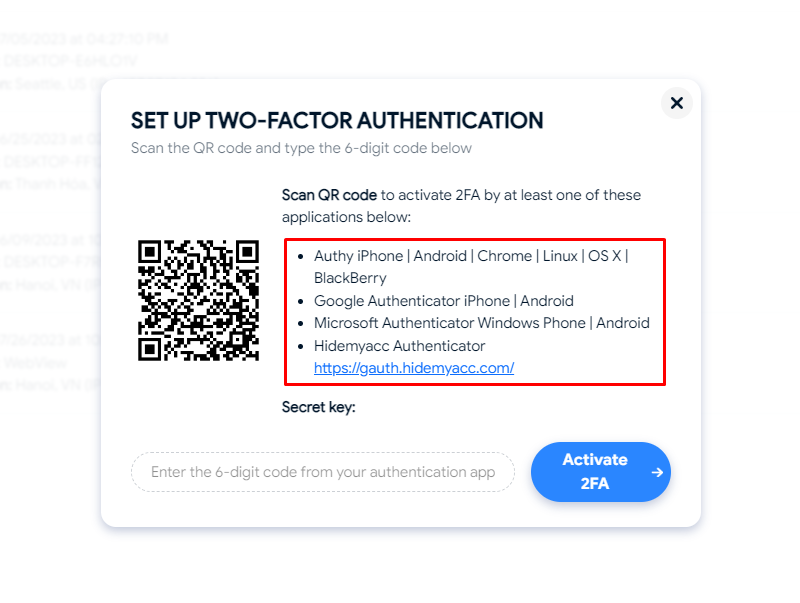
Upon enabling the 2FA feature in Hidemyacc 3.0, you can choose one of the following apps to scan the QR code:
* Authy iPhone | Android | Chrome | Linux | OS X | BlackBerry
* Google Authenticator iPhone | Android
* Microsoft Authenticator Windows Phone | Android
* Hidemyacc Authenticator (you need to enter the secret key which Hidemyacc provides)
After enabling, every time you log in, delete a profile, or transfer a profile, you need to enter 2FA code to proceed with the operation.
### ⚙️ LOGIN SESSIONS
Display time, device and location (location taken by IP address).
### ⚙️ Password change every 90 days
From Hidemyacc 3.1.14, you'll be asked to change your account password every 90 days. Your Hidemyacc account gives access to all of your profiles, so changing the password regularly lowers the risk of a leaked password.
**When you'll be asked**
When your password is 90 days old, Hidemyacc \[shows a prompt when you sign in / sends you an email] asking you to set a new one.
**How to change your password**
1. In the prompt, click \[Change password].
2. Enter your current password.
3. Enter your new password, then confirm it.
4. Click \[Save].
You can also change your password at any time in Settings >> Account. See 9.1. Account.
**Good to know**
* Changing your password doesn't affect your profiles or their data.
* If you don't change it: you can't sign in until you do.