> For the complete documentation index, see [llms.txt](https://docs.hidemyacc.com/llms.txt). Markdown versions of documentation pages are available by appending `.md` to page URLs; this page is available as [Markdown](https://docs.hidemyacc.com/6.2.-create-drag-and-drop-scripts/condition-command-group.md).
# Condition command group
### **Conditions**
The Conditions command is used to set conditions for executing commands. Key settings to consider include:
* ***Value:*** Input the value for comparison.
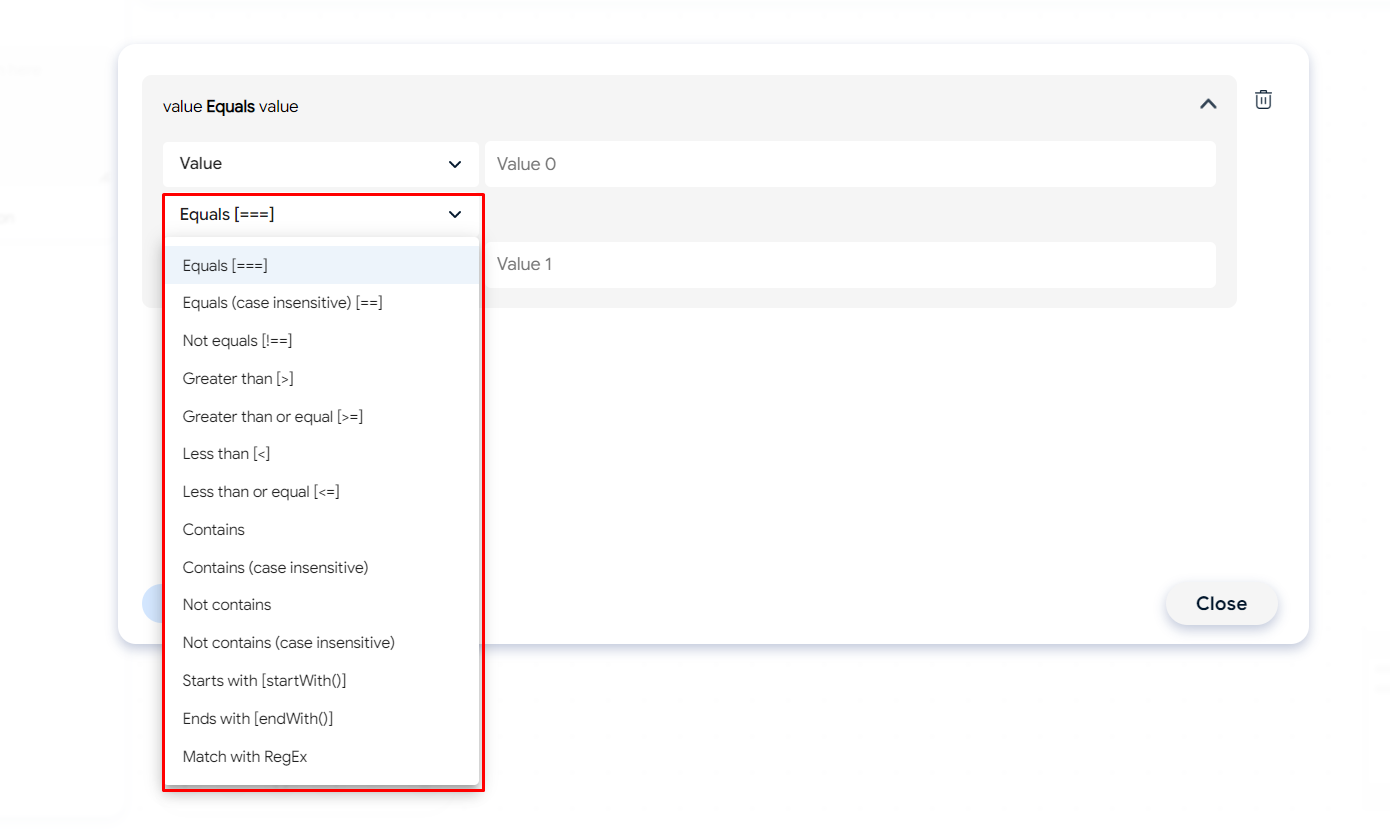
* ***Equals:*** This operator compares two values and returns True if they are equal and False if not.
* ***Equals (case insensitive):*** Similar to the Equals operator, but it does not differentiate between uppercase and lowercase letters, typically used for strings. For example, "Hello" will be considered equal to "hello".
* ***Not equals:*** The opposite of the Equals operator, returns True if two values are not equal and False if they are.
* ***Less than:*** Compares whether one value is less than another. Returns True if the condition is met, False otherwise.
* ***Less than or equal:*** Compares whether one value is less than or equal to another. Returns True if the condition is met, False otherwise.
* ***Greater than or equal:*** Compares whether one value is greater than or equal to another. Returns True if the condition is met, False otherwise.
* ***Greater than:*** Compares whether one value is greater than another. Returns True if the condition is met, False otherwise.
* ***Contains:*** Checks if a string or set contains a specific element. Returns True if it does, False otherwise.
* ***Contains (case insensitive):*** Similar to the Contains operator, but it does not differentiate between uppercase and lowercase letters in strings.
* ***Not contains:*** Checks if a string or set does not contain a specific element. Returns True if it does not, False otherwise.
* ***Not contains (case insensitive):*** Similar to the Not contains operator, but it does not differentiate between uppercase and lowercase letters in strings.
* ***Starts with:*** Checks if a string starts with a specific sequence of characters. Returns True if it does, False otherwise.
* ***Ends with:*** Checks if a string ends with a specific sequence of characters. Returns True if it does, False otherwise.
* ***Match with RegEx:*** Checks if a string matches a regular expression pattern. Returns True if it matches, False otherwise.
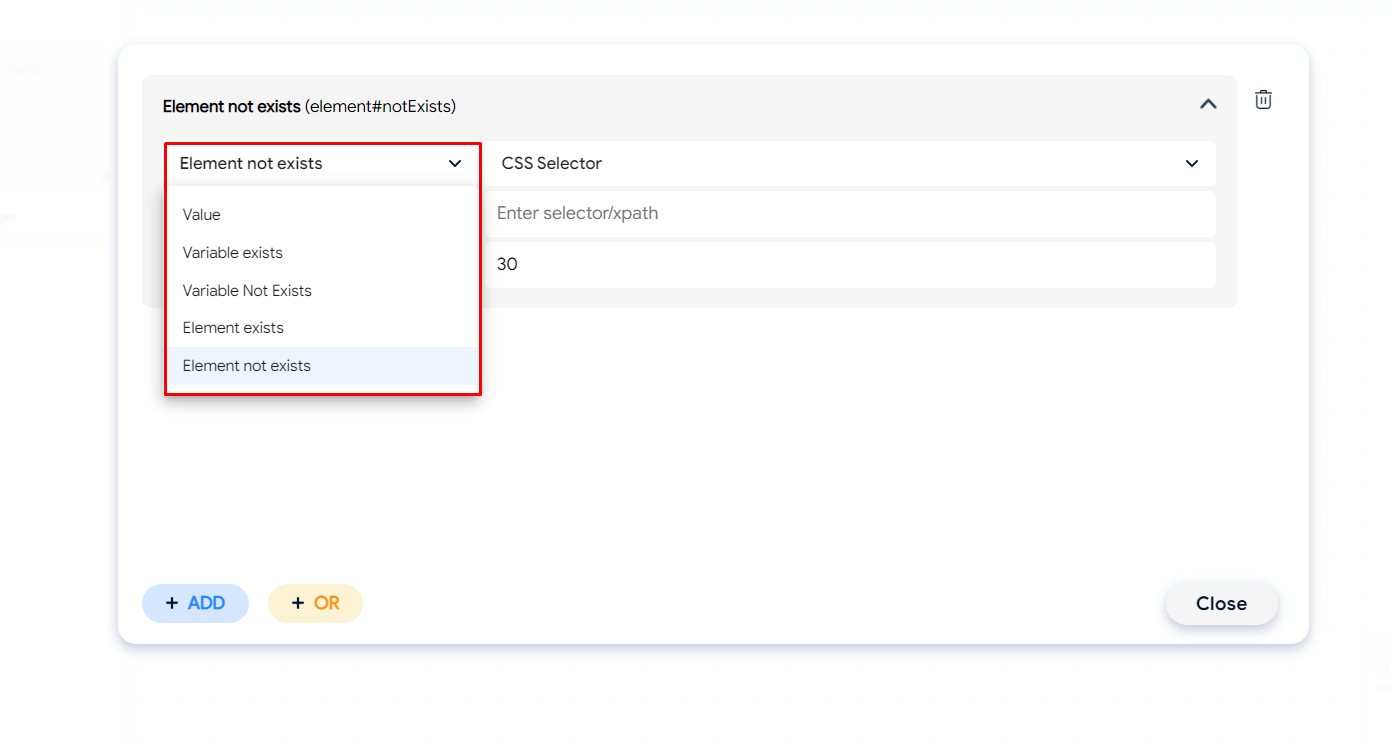
* ***Variable exists:*** Checks if a variable has a valid input value.
* ***Variable not exists:*** Checks if a variable does not have a valid input value.
* ***Element exists:*** Checks if an element has a valid input value.
* ***Element not exists:*** Checks if an element does not have a valid input value.
* You need to select the element retrieval type (CSS or Xpath) and paste the selector.
* Waiting time: Time to wait for selector verification.
* ***Add:*** Used when multiple conditions need to be satisfied simultaneously.
* ***Or:*** Used when one of the conditions needs to be satisfied.
### **Condition break**
Similar to the Stop loop command, the Condition break command is used to indicate the end of conditions.
Use the Break setting when using the Condition command within a loop (Loop). The loop will end only when the conditions are satisfied. If not using a loop, you don't need to select the "Use Break" setting.