> For the complete documentation index, see [llms.txt](https://docs.hidemyacc.com/llms.txt). Markdown versions of documentation pages are available by appending `.md` to page URLs; this page is available as [Markdown](https://docs.hidemyacc.com/3.8.-restore-profiles.md).
# 3.8. Restore profiles
**Since version 2.0.76,** Hidemyacc has released the **Restore Profiles feature** to help users restore deleted profiles.
Because our system will automatically **backup at 24:00 everyday**, so you can only restore profiles that are not created and deleted on the same day.
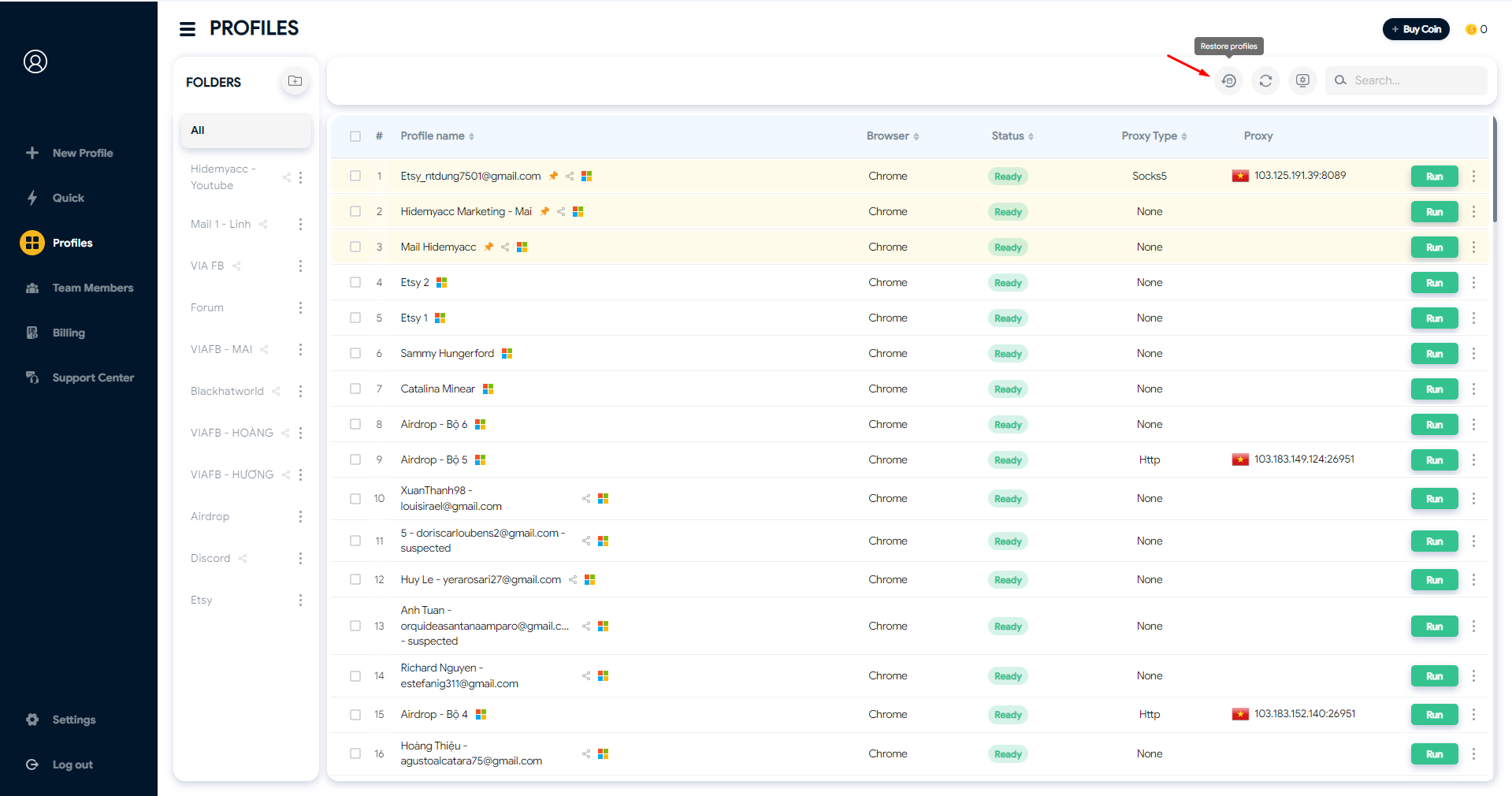
* Click on the Profile icon on the right corner.
* Click Restore Profile icon on the top
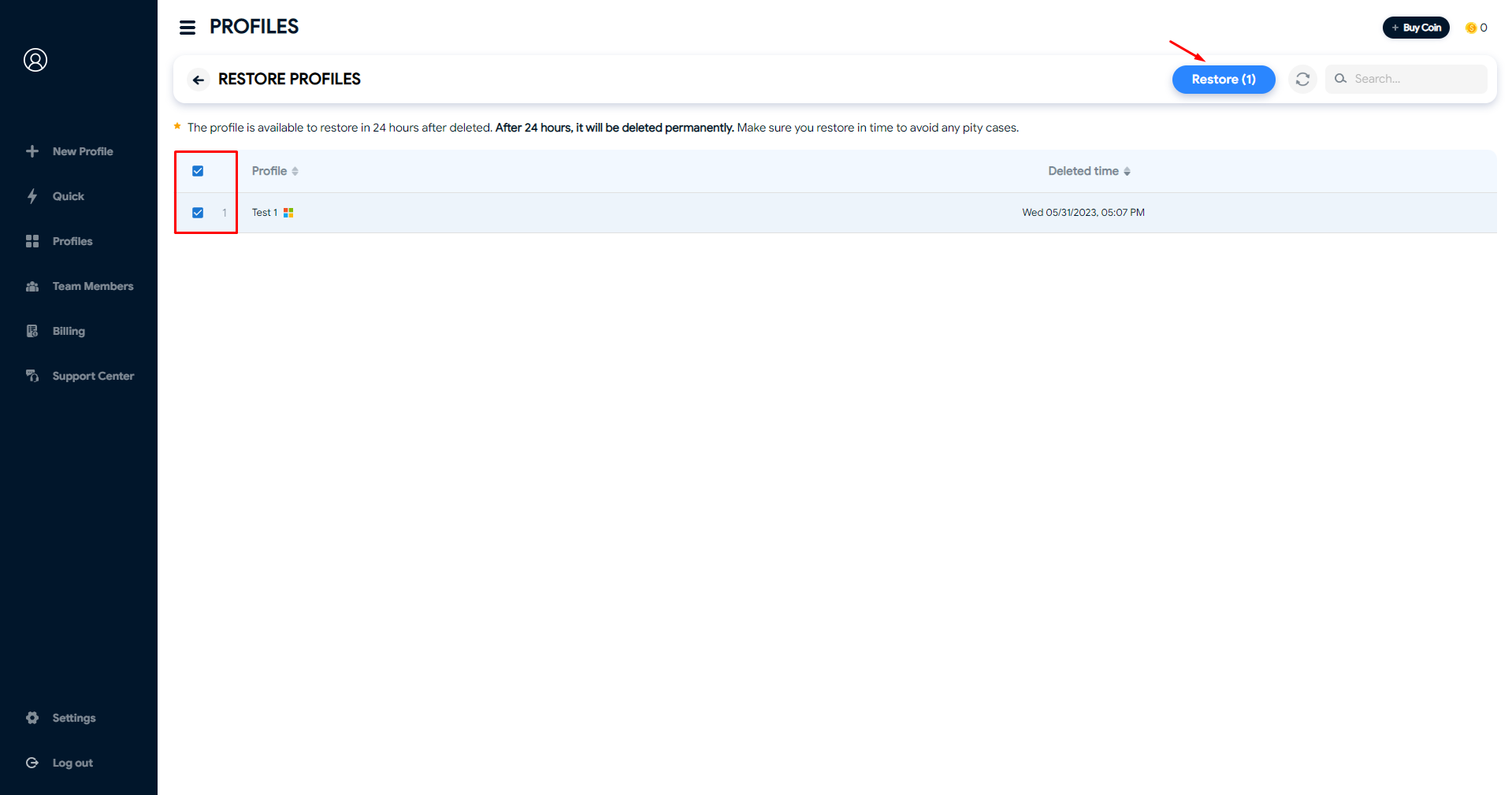
* Choose the Profiles you want to restore and click Restore