> For the complete documentation index, see [llms.txt](https://docs.hidemyacc.com/llms.txt). Markdown versions of documentation pages are available by appending `.md` to page URLs; this page is available as [Markdown](https://docs.hidemyacc.com/3.3.-export-profile.md).
# 3.3. Export profile
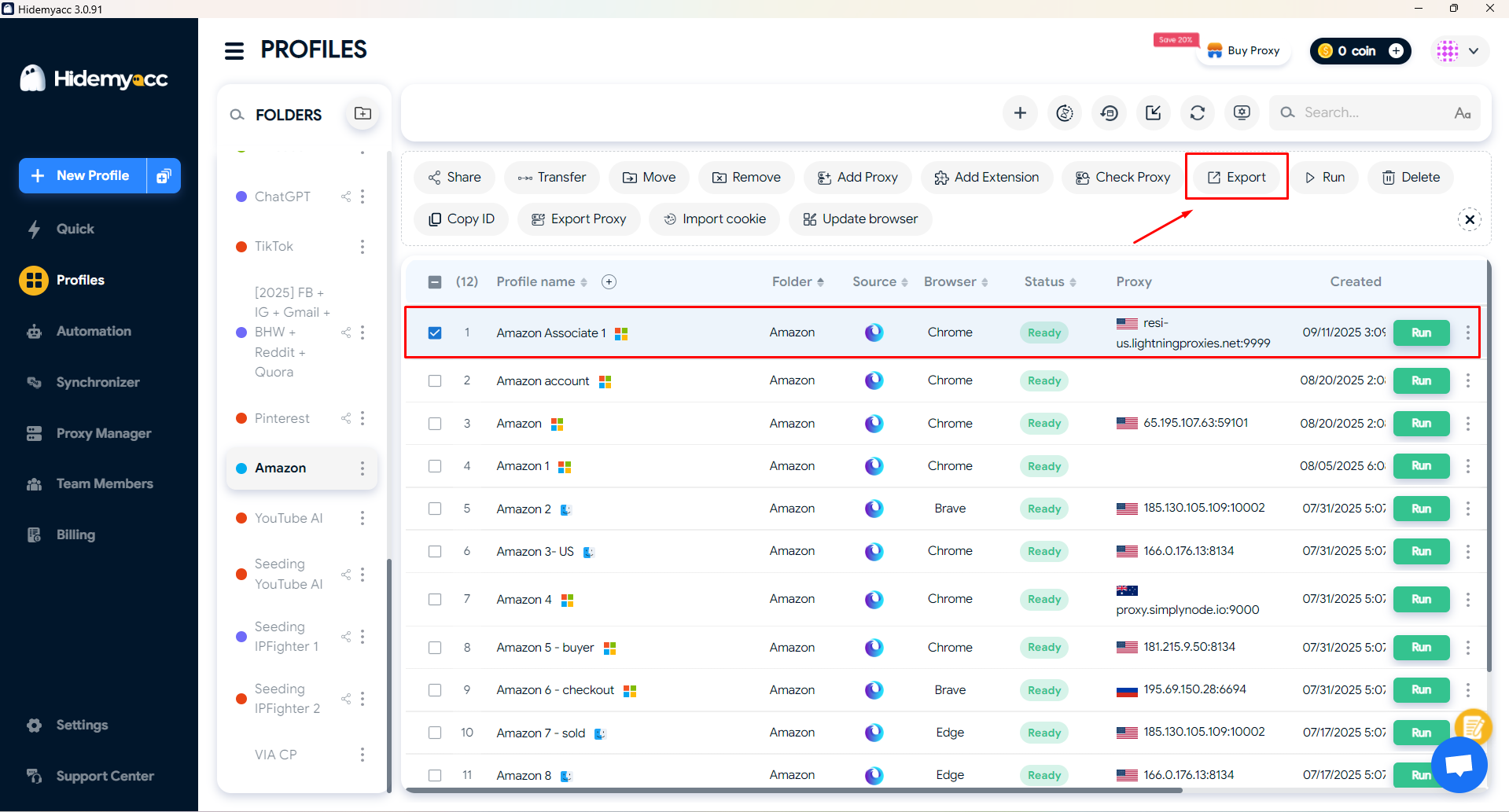
Tutorial on how to export profile on Hidemyac
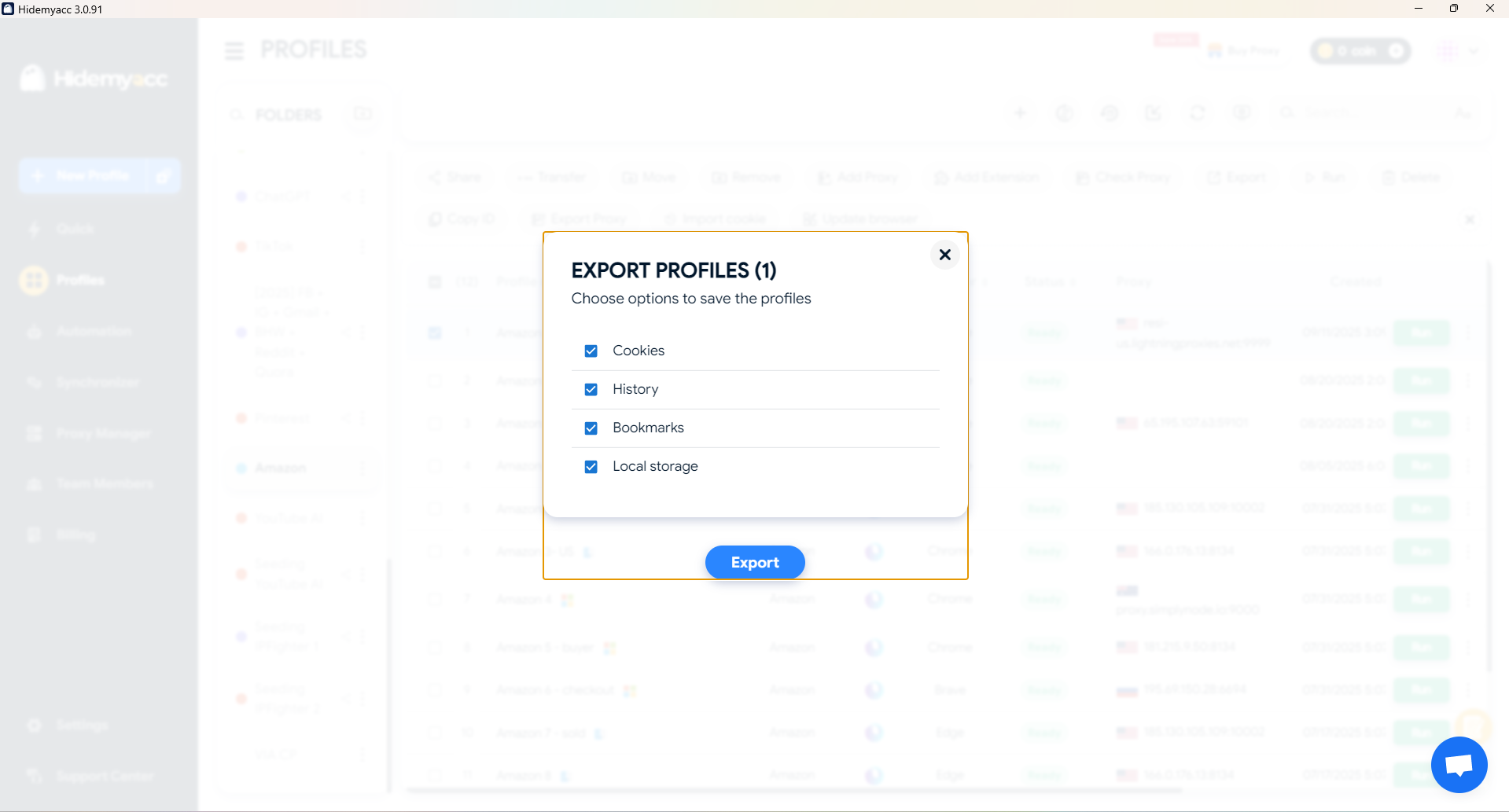
This feature allows you to export Hidemyacc profile data, including:
* Cookies
* Browsing history
* Bookmarks
* Local storage
You can export any profile that is currently active, but you cannot export profiles that have been deleted or no longer exist in the system. The exported file can be imported back into Hidemyacc.